
What an Alameda County Docket Is
A court docket is a running log of every event in a case. The Superior Court calls the same list a register of actions. Each line shows a date, an event code, and a short note. A new complaint, a motion, a hearing, a minute order, a judgment, and a notice of appeal all post as docket entries. The docket is not the case file. The case file is the stack of full documents; the docket is the index that points to them.
In Alameda, a civil or family docket is built inside eCourt. A criminal docket is built inside Odyssey. A traffic docket sits in the traffic ticket lookup tool. A probate docket is built inside eCourt under the Berkeley Courthouse department list. Each system shows hearings, parties, filings, and rulings, but field names and layout differ across portals.
Court calendars are different from dockets. A calendar lists what a department is hearing on one day. A docket lists what has happened in a single case across all days.
Alameda County Find Your Court Date Tool
The fastest way to see an upcoming Alameda County court date is the Find Your Court Date calendar tool. The site does not require a login. A user enters a last name or organization, picks a match type, and chooses today or the next four court days.
The tool runs against General Civil, Criminal, Traffic, Family Law, and Probate calendars. It does not return juvenile, adoption, or sealed entries. Data is current as of 5:00 PM Pacific Time on the prior business day. The result grid caps at 200 rows.
Find Your Court Date is a calendar, not a full case search. It will tell a user where to be and when, but not what happened last month. For case history, switch to eCourt or Odyssey.
The screenshot below comes from the Alameda Superior Court Find Your Court Date page.
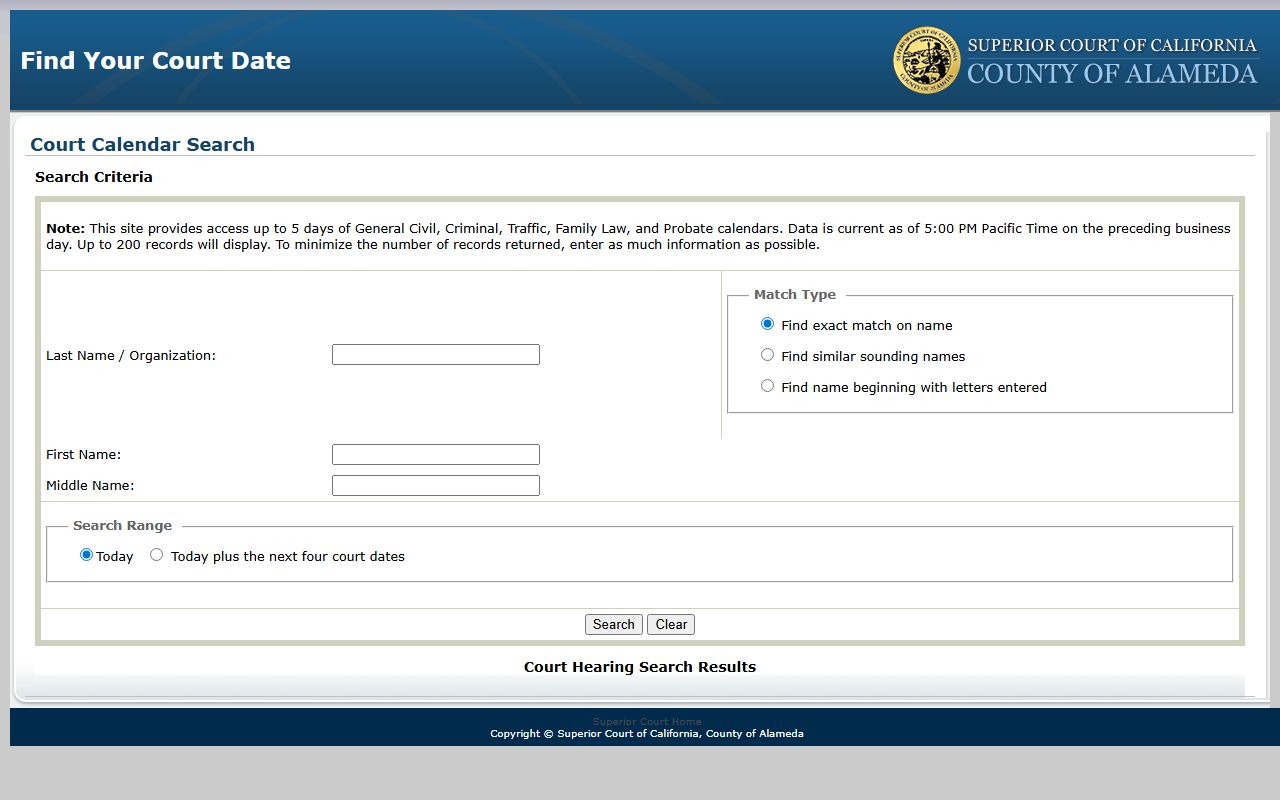
The tool is the safest first stop when a court notice is missing.
Find Your Court Date Search Fields
The calendar tool uses a short form. The list below maps each field to its job and to the format the court expects. The same field map appears on the Public Portals routing page and on the calendar tool itself.
| Field Label | Type | Required | Options / Format Notes |
|---|---|---|---|
| Last Name / Organization | text | optional but practically needed | Enter as much information as possible to reduce results. |
| Match Type | radio | optional | Find exact match on name; find similar sounding names; find name beginning with letters entered. |
| First Name | text | optional | Narrows person search. |
| Middle Name | text | optional | Narrows person search. |
| Search Range | radio | required | Today, or today plus the next four court dates. |
| Search | button | n/a | Runs the calendar query. |
| Court Hearing Search Results | results table | n/a | Up to 200 records; fields shown include name, case, court, date, time, and department. |
The match type field matters more than it looks. A similar-sounding match catches common name swaps such as Sanchez and Sanches. A beginning-with match helps with corporate names in long form.
eCourt Calendar Search for Alameda Dockets
For full docket history in civil, family law, probate, mental health, and adoption cases, use the eCourt Public Portal. The portal requires a free account before any function works. The court launched the current civil case management system on October 12, 2021, and every civil, civil appeal, family law, and probate record now lives there.
eCourt offers four search modes. Name Search returns a list of cases linked to a person or business. Case Number Search jumps straight to a known case. Calendar Search returns hearings for a chosen department and date. Public Reports lists recent filings by case type. The eCourt Calendar Search reaches back into the closed docket, not just the next five days.
Document copies in eCourt cost credits, but the portal shows a free half-page preview before charging. Name searches also draw down credits. Calendar Search itself is free.
Note: eCourt does not include criminal, juvenile, or traffic cases, so a docket search that returns nothing is often a wrong-portal error.
How to Use the Alameda Calendar Tool
A clean Alameda docket lookup runs in a short sequence. The steps below match the routing logic on the court's Public Portals page and the field labels on Find Your Court Date and eCourt.
- Pick the portal that matches the case type. Civil, family, probate, mental health, and adoption start in eCourt. Criminal goes to Odyssey. Traffic goes to the traffic ticket tool.
- Open Find Your Court Date first if a hearing is within five business days. The tool needs no login.
- Enter the last name. Add first and middle name when the docket is for a common name.
- Pick a match type. Use exact match when spelling is certain, similar-sounding for known variants, or beginning-with for a business or trust name.
- Choose the search range. Today for a same-day check, or today plus the next four court dates for a full five-day view.
- Read the result grid. Each row shows the case, courthouse, department, hearing type, date, and time.
- For a deeper docket, switch to eCourt or Odyssey and run a Case Number Search with the number from the result row.
- If the case is sealed, juvenile, adoption, or older than the online window, call the Records Office at 510-891-6005 or email AskRecordsManagement@alameda.courts.ca.gov.
The sequence puts the free tool ahead of the paid one. Most users only need the next hearing date, and Find Your Court Date is built for that.
Criminal Hearing Search via Odyssey
Criminal dockets in Alameda do not appear in eCourt. The court routes them to the Criminal Online Records Search, also called Odyssey. Public Portals links the tool. Like eCourt, Odyssey requires a free account. Once signed in, Odyssey offers Smart Search and Search Hearings. Smart Search looks across the criminal case database by name or case number. Search Hearings narrows by date range and department.
Criminal dockets show the charge, the statute cite, the level (infraction, misdemeanor, or felony), the plea, the bail or bond amount, any protective order, and the disposition. Felony case dockets usually include arraignment, preliminary hearing, trial setting, motions, trial, verdict, and sentencing entries.
The Alameda civil division page lists department assignments for civil work. The criminal division also handles failure-to-appear consequences, including the $300 civil assessment under Penal Code § 1214.1.
The screenshot below comes from the Alameda Superior Court Public Portals page, which lists every official docket and case search tool the court runs.
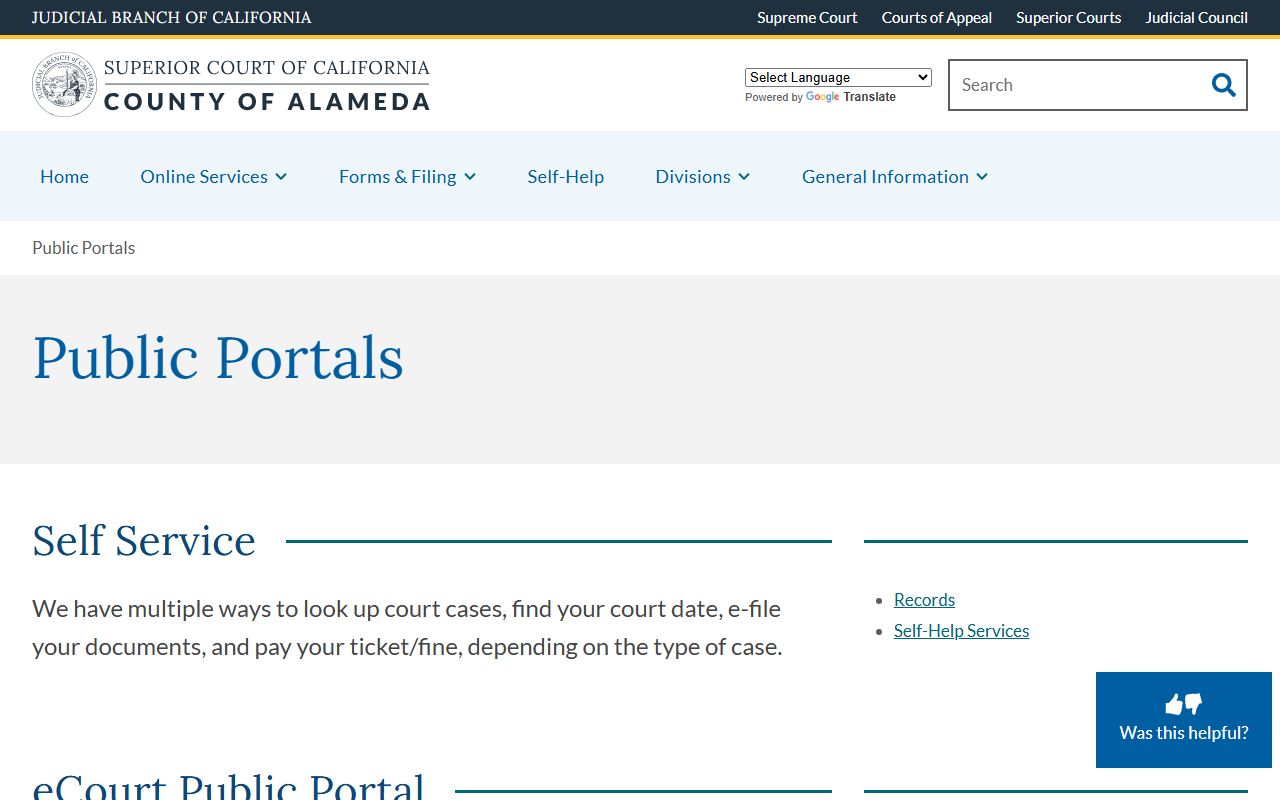
For a docket on a criminal matter, see the Alameda County criminal records page.
How to Read Alameda County Docket Entries
A docket entry has three core parts: the date, the code or event name, and a short note. The codes are short. COMP marks a complaint. ANS marks an answer. MOT marks a motion. ORD marks an order. MIN marks a minute order. A glossary helps when the entry is dense.
- Register of Actions
- The full chronological list of every filing, hearing, and ruling. The same thing as a docket in Alameda usage.
- Minute Order
- The clerk's short summary of a hearing, often the first record of a ruling before a written order is signed.
- Continuance
- A postponement of a hearing or deadline. The docket stays open and a new date is set.
- Ex Parte
- A request made on shortened time or without normal notice, used in urgent matters.
- Disposition
- The outcome of a charge, motion, or full case. One case can hold many dispositions when many counts are filed.
- Bench Warrant
- A warrant a judge issues, often after a failure to appear, usually with a bail amount.
- Judgment
- The final ruling that closes the case or fixes liability.
Two phrases trip up most readers. A disposition is the outcome of one charge or motion, not the case as a whole. A continuance is a postponement, not a dismissal. For a deeper glossary, see the Alameda County court records page or the traffic court records page.
Department Assignments in Alameda Dockets
Each Alameda docket entry rides with a department number. The number tells the user which courtroom and which judge handled the event. The court's civil division page maps the busy assignment rules. Writ matters are assigned to Departments 20, 24, and 25. Collection matters go to Department 5. Small claims and civil harassment matters land in Departments 105, 519, and 521.
Unlawful detainer (eviction) cases are assigned to Department 511 at the Hayward Hall of Justice, 24405 Amador Street. Probate dockets all run through Berkeley Courthouse, 2120 Martin Luther King, Jr. Way. The CARE Act calendar sits in Department 103 at the Wiley W. Manuel Courthouse, 661 Washington Street, Oakland. For a full department and courthouse map, see the Alameda Superior Court page.
The screenshot below comes from the Alameda Superior Court phone and fax directory, which lists clerk numbers for every division.
The directory is the right place to confirm a department phone when a docket line is unclear.
What an Alameda Docket Entry Shows
Most Alameda docket lines share a common core. The table maps the fields a user will read in eCourt, Odyssey, and the public calendar.
| Field | What It Shows |
|---|---|
| Date | Day of the filing, hearing, or ruling. |
| Event Code | Short code such as COMP, MOT, MIN, or ORD that flags the entry type. |
| Hearing Type | Arraignment, case management conference, motion, trial, sentencing, or status check. |
| Department | Courtroom number such as Dept 5, Dept 511, or Dept 103. |
| Judicial Officer | Judge, commissioner, or referee who heard the matter. |
| Result | Granted, denied, taken under submission, continued, or settled. |
| Next Date | Next set hearing or deadline. |
| Document Link | Opens a half-page free preview; paid full copy in eCourt. |
| Notes | Clerk note such as bench warrant issued, bail set, or order signed. |
The same fields appear on the printable register of actions a clerk pulls at the counter. None of these printouts are certified. For a stamped copy, file a request with the Records Office.
Data Refresh and Display Limits
Online dockets in Alameda update on a delay. Find Your Court Date is current as of 5:00 PM Pacific Time on the prior business day, and the result grid caps at 200 rows. A search that hits the cap is often missing the right row, so narrow the name fields and run it again. eCourt updates as the clerk processes the day's filings; a morning filing may not show until late afternoon. Odyssey runs on a similar delay for criminal cases.
The portals also exclude some case types by design. Find Your Court Date does not return juvenile or adoption rows. eCourt does not carry criminal, juvenile, or traffic dockets. Odyssey holds criminal only.
Note: A printout from any Alameda public portal is not a certified record; request a certified copy from the Records Office before relying on a docket.
Older or Missing Alameda Court Dockets
Some Alameda dockets are not online. Older paper-only files, sealed cases, juvenile matters under Welfare and Institutions Code § 827, adoption files under Family Code § 9200, and certain mental health and conservatorship files all sit outside the public web tools. The court still keeps them.
The Records Office at 1225 Fallon Street, Room 209, Oakland takes the bulk of these requests. The phone line is 510-891-6005 and email goes to AskRecordsManagement@alameda.courts.ca.gov. Open hours are weekdays 8:30 AM to 2:30 PM. The clerk will quote a search and copy fee before pulling the file. Some pre-2000 records sit on microfilm.
For administrative records of the court itself, the route is California Rules of Court rule 10.500. Mail the request to ATTN: Public Access Request at the Davidson address, or email PubAccessRequest@alameda.courts.ca.gov. For everyday lookup questions, see the Alameda County Court Records FAQ.